 TopDissertations

What Is a Citation Management Tool (And Why It Matters)
A citation management tool — also called a reference manager or bibliography software — is a digital system for collecting, organizing, and formatting your academic citations. Instead of manually typing out every bibliography entry in APA, MLA, or whatever format your advisor demands, these tools store your sources in a library and automatically generate properly formatted citations and reference lists.
For a dissertation, this isn’t just convenience. It’s survival.
Imagine you’ve been collecting PDFs for two years. Hundreds of them. Scattered across your desktop, email inbox, and random browser tabs. A citation manager centralizes them, attaches metadata, auto-generates in-text citations, and — most importantly — lets you switch from APA 7th to Chicago style with one click when your committee changes requirements.
Here’s what people get wrong: A citation manager doesn’t just save you time on bibliographies. It saves you from the nightmare of manually tracking every source detail across hundreds of references. The moment you commit to one tool and stick with it, the complexity gap between you and a disorganized researcher widens dramatically.
The citation management landscape in 2026 has shifted in two big ways: Google Docs adoption (Paperpile’s native integration is now a key differentiator) and AI features (EndNote’s 2025 AI Research Assistant, Mendeley’s AI Reading Assistant, and AI-native platforms like Jenni AI and Paperguide AI are fundamentally changing what these tools can do).
- Zotero is the best free citation manager for most students, with 10,000+ citation styles and a massive community.
- Paperpile is the best choice if you write in Google Docs — its native integration is unmatched, and at $60/year it’s genuinely worth it.
- EndNote remains the institutional standard for labs and large research teams, but at $274/year it’s overpriced for solo students unless your department already licenses it.
- Mendeley offers the strongest built-in PDF annotation and reading tools, but new AI Reading Assistants come with growing sync issues.
- AI-native tools like Jenni AI and Paperguide AI are the 2026 wildcard — they combine citation management with AI writing, but they sacrifice the mature citation style support that traditional tools offer.
The bottom line: Start with Zotero. If you use Google Docs, upgrade to Paperpile. Only pay for EndNote if your institution already has a license.
The Top 5 Citation Management Tools Compared
Before diving into each tool individually, here’s a feature comparison matrix showing where each one stands across the dimensions that actually matter:
Feature Comparison Matrix
| Feature | Zotero | Mendeley | EndNote | Paperpile | Citavi |
|---|---|---|---|---|---|
| Free tier | Yes (300 MB storage) | Yes (2 GB storage) | No (free trial only) | No (free trial only) | Yes (100 refs/project) |
| Cloud storage | 300 MB free / unlimited paid | 2 GB free / 50 GB premium | Varies by license | 1 GB free / unlimited paid | 10 GB free tier |
| Word plugin | ✅ Excellent | ✅ Good | ✅ Excellent | ❌ Not available | ✅ Good |
| Google Docs plugin | ✅ Via connector | ❌ Limited | ❌ Not available | ✅ Native | ❌ Not available |
| PDF annotation | ✅ Basic | ✅ Strong | ✅ Basic | ❌ Basic | ✅ Strong |
| AI features | ❌ None (deliberate) | ✅ Reading Assistant (premium) | ✅ AI Research Assistant | ✅ Basic AI writing | ❌ None |
| Citation styles | 10,000+ (CSL) | 5,000+ | 7,000+ | 10,000+ (CSL) | 5,000+ |
| Collaboration | ✅ Shared libraries | ✅ Shared libraries | ✅ Teams | ✅ Shared libraries | ✅ Teams |
| Annual price | Free / $30 paid | $69 premium | $274 / $150 student | $60 | $89–$194.7 |
This matrix shows the core positioning at a glance. Each tool excels in different areas, and the “best” choice depends entirely on your workflow. Let’s break down each one.
Zotero — The Best Free Citation Manager
Zotero is the undisputed champion of free citation management. Open-source, non-profit governed, and backed by one of the most active communities in academic software, Zotero has been the go-to recommendation for students and researchers for over a decade — and it’s getting stronger in 2026.
Why Zotero Is the Default Free Pick
Zotero’s claim to fame is its massive citation style library. The Citation Style Language (CSL) standard hosts over 10,000 citation styles, covering everything from APA 7th to obscure journal formats and regional standards. If a style exists, Zotero supports it.
The core features are exactly what you need:
- Browser extension captures citations from almost any website with one click
- Desktop app organizes your library with folders, tags, and smart rules
- Word plugin generates live in-text citations and reference lists
- PDF management stores PDFs alongside their metadata
- Web sync for multi-device access (300 MB free storage, paid unlimited)
Zotero 9.0, released in July 2026, brought a significantly improved UI and smoother performance. The library view is cleaner, the tagging system is more responsive, and the PDF preview pane got a redesign.
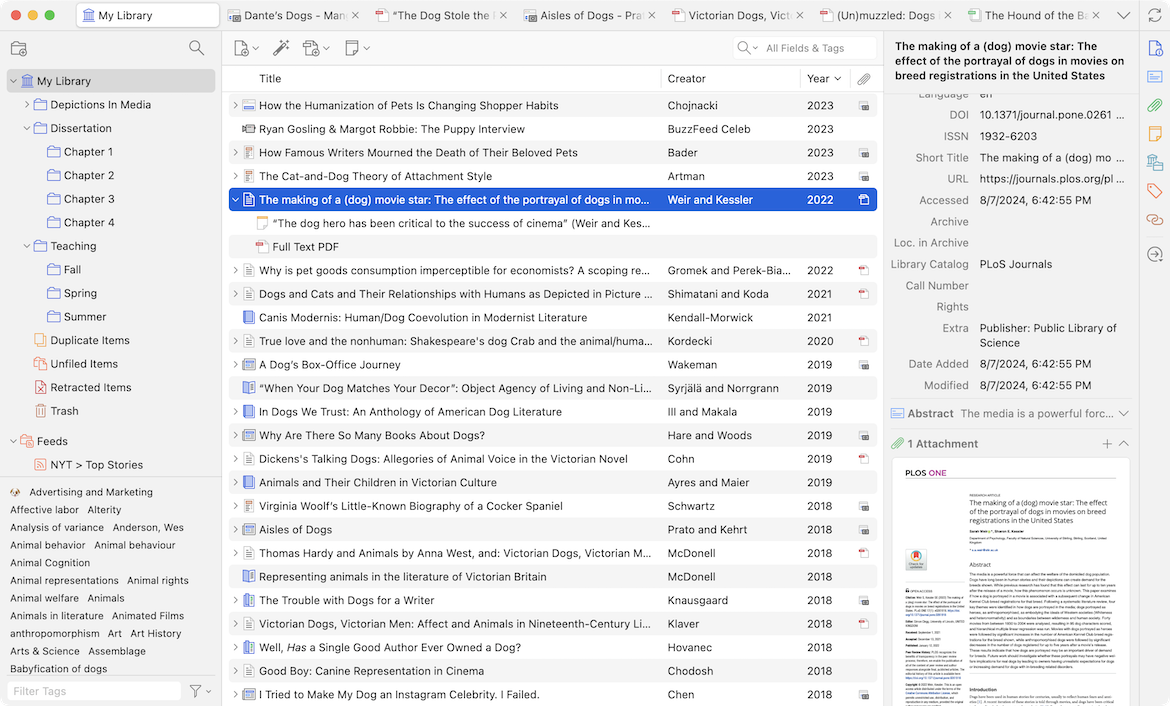
Zotero’s library view — source: Zotero.org.
The catch: Zotero deliberately refuses to build AI features. The team has publicly stated they will not add AI to the core product. This means if you want AI-powered citation suggestions or PDF summarization, you need to layer third-party tools like Atlas, Scite, or papersGPT alongside Zotero. That’s a deliberate stance — the Zotero team believes citation management should be about reliable, transparent bibliography creation, not AI guesswork.
Best For
- Students on a budget
- Researchers who want mature, battle-tested citation style coverage
- Teams that value open-source governance and vendor lock-in freedom
⚠️ Common mistake: Assuming 300 MB of free storage is enough for PDF-heavy research. It fills faster than you’d expect. Upgrade to the paid plan ($30/year for unlimited storage and libraries) if you collect a lot of PDFs.
Paperpile — The Best for Google Docs Users
If you write primarily in Google Docs (and more than half of researchers in 2026 do), Paperpile is hands-down the best citation tool available for your workflow.
Why Paperpile’s Google Docs Integration Is the Killer Feature
Paperpile was built from the ground up for Google Docs and Google Drive. Unlike Zotero, which uses a third-party connector to bridge into Google Docs, Paperpile’s plugin is native. That means:
- One-click insert of citations directly into your Google Docs document
- Live bibliography updates that refresh automatically as you add or remove citations
- Shared library collaboration for group projects and co-authored papers
- Chrome extension for seamless web-to-library capture
At $60/year, Paperpile is affordable and consistently praised by users who switch from Zotero specifically for the Google Docs experience. The interface is clean, the citation capture is accurate, and the collaboration features work smoothly.
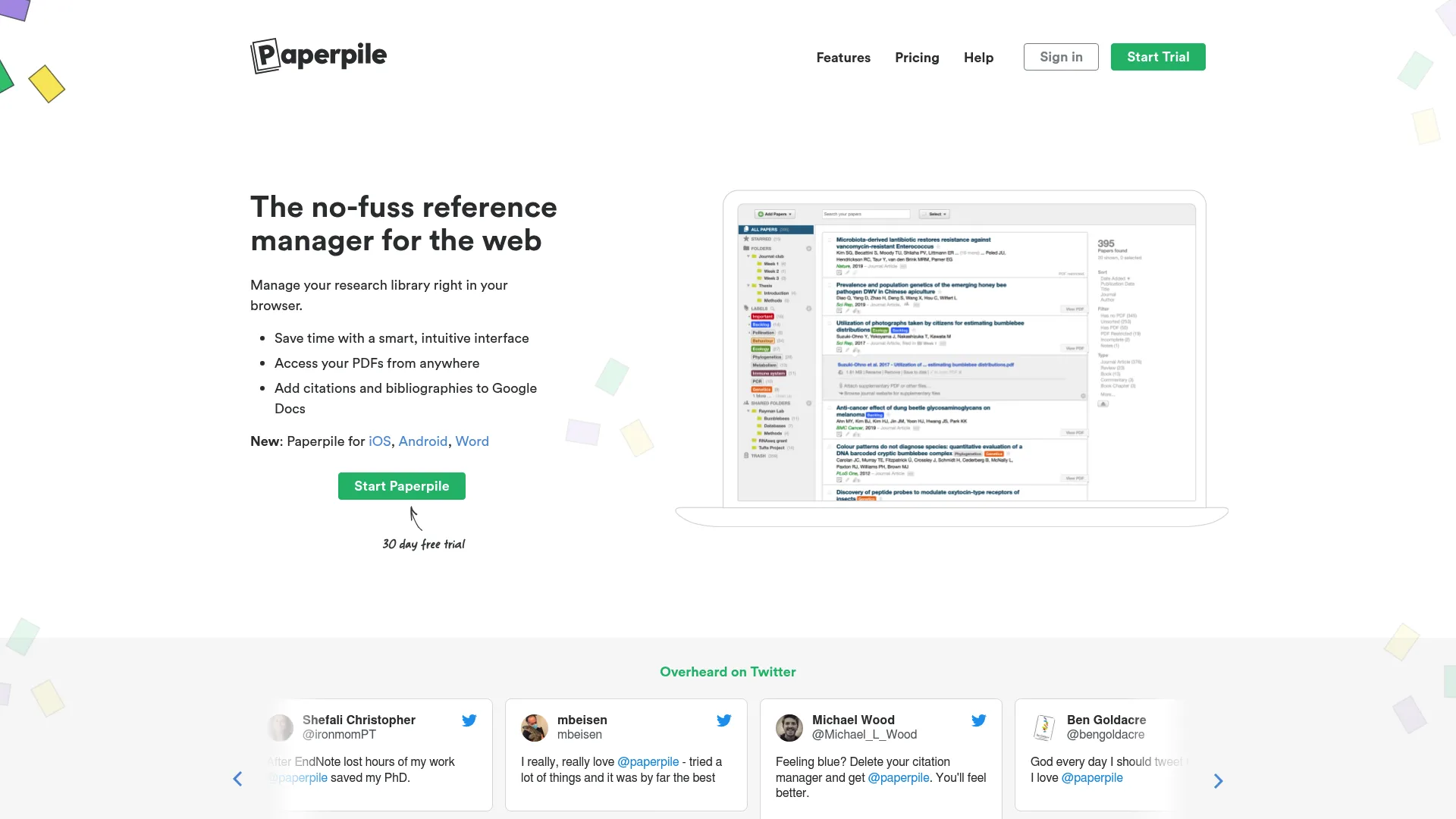
Paperpile’s clean web interface — source: research article.
Paperpile also supports all 10,000+ CSL citation styles — so you get the same massive style library as Zotero, but with a Google-first workflow.
Best For
- Google Docs users (especially dissertation writers)
- Collaborative research teams working in shared documents
- Students who want a clean, minimal interface
Mendeley — The Best PDF Annotation Tool
Mendeley, owned by Elsevier, has historically been the citation manager with the strongest PDF reading and annotation capabilities. Its PDF viewer supports highlighting, note-taking, and text selection — making it ideal for researchers who live inside PDFs.
Mendeley’s Strengths and Weaknesses
Mendeley’s core advantages are clear:
- Best built-in PDF reader among free citation managers, with annotation tools that rival dedicated PDF software
- 2 GB free storage — the largest free tier among competitors
- AI Reading Assistant on premium tiers that parses and synthesizes PDF text (introduced in 2025)
- Integration with Elsevier’s ecosystem, which is useful if you publish in Elsevier journals
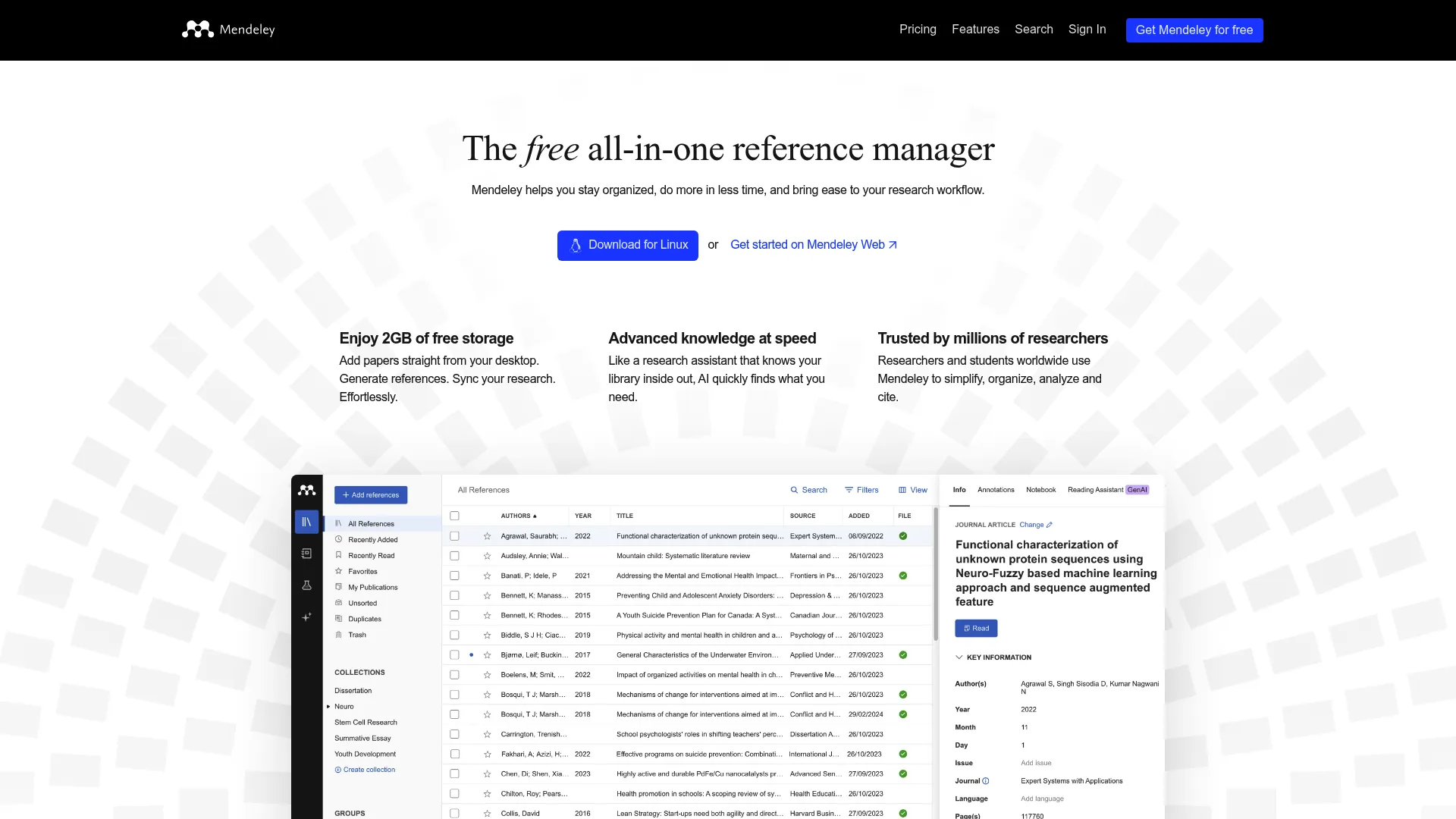
Mendeley’s PDF annotation workflow — source: research article.
But Mendeley has growing pains. The desktop application was rebuilt in 2020, and since then, user reports show increasing sync issues between web and desktop. Development momentum has slowed, and the community is increasingly divided between long-time Mendeley loyalists and users who’ve switched to Zotero.
The 2025 AI Reading Assistant addition is a positive step — it parses and summarizes PDF content, supplementing Mendeley’s classic annotation tools. But for premium users ($69/year), the value proposition depends heavily on whether your department already has Elsevier access.
⚠️ Common mistake: Not checking if your institution has an Elsevier license before buying Mendeley Premium. If your university already pays for Elsevier subscriptions, the premium tier’s value is reduced since you get the core functionality for free.
Best For
- PDF-heavy researchers (especially in medical and life sciences)
- Users who annotate extensively and want a desktop PDF experience
- Researchers who publish in Elsevier journals
EndNote — The Institutional Standard
EndNote (owned by Clarivate) is the citation tool of choice for large labs, health sciences programs, and institutional research teams. It’s the heavy-duty option — and the price tag reflects that.
Why EndNote Costs So Much
EndNote charges $274/year for individual licenses (around $150 for students with discount). That’s expensive, and reviewers widely describe it as “overpriced legacy software” for solo users. But the justification is straightforward:
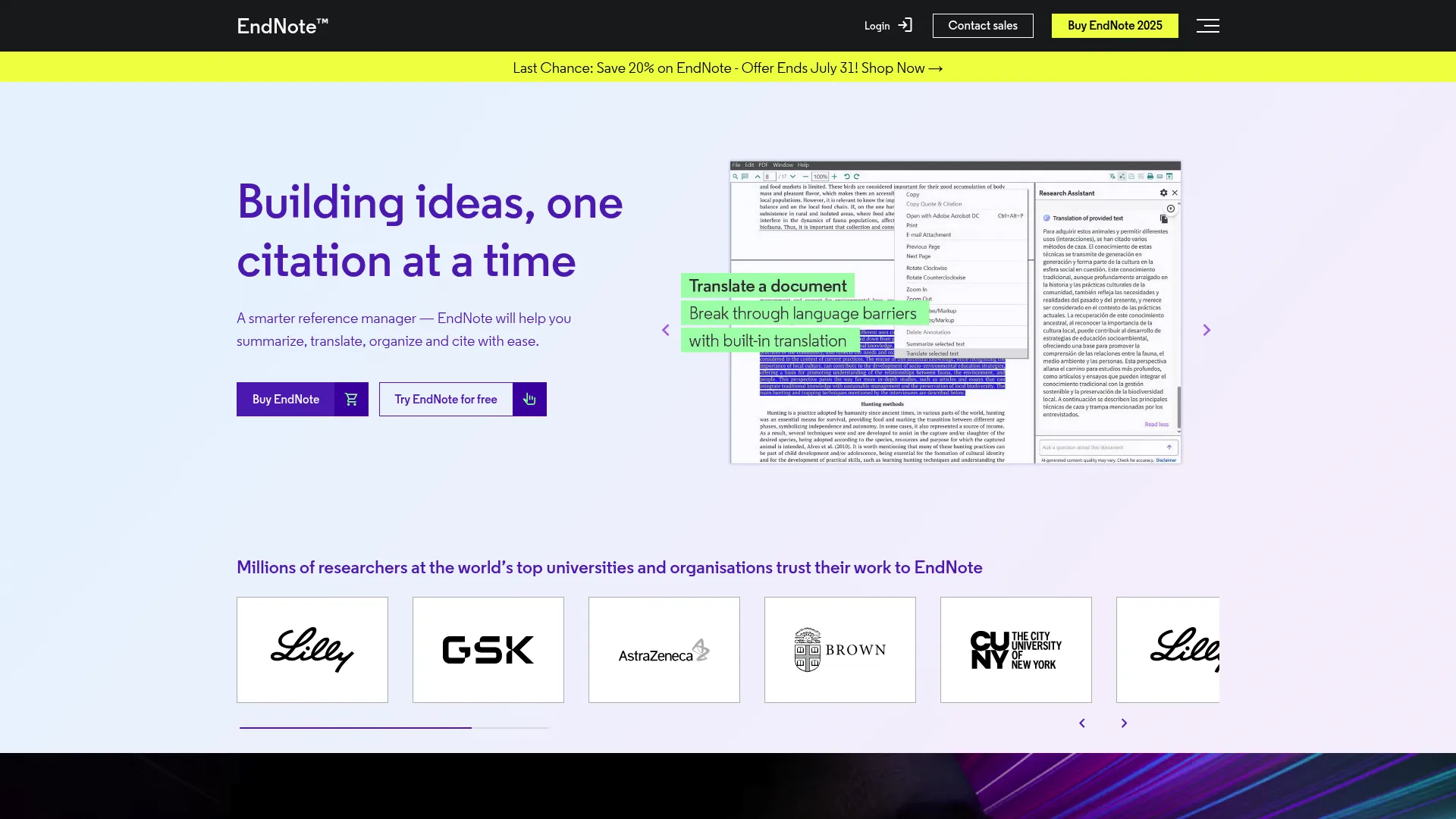
EndNote’s professional desktop interface — source: research article.
- Institutional licenses (often $3,500+ for universities) cover entire departments and labs
- 7,000+ citation styles with deep journal-specific formatting
- EndNote Online integration for cloud-based reference management
- EndNote 2025 AI Research Assistant — EndNote’s first meaningful AI push, adding chat-with-document, PDF text translation, automated key-takeaway summaries, and a “Find a Journal” ML tool for publication venue recommendations
The AI Research Assistant is EndNote’s answer to the AI-native competition. It’s a significant step forward, and for institutional users who already have the license, it adds real value. For individuals paying out of pocket, however, the price is hard to justify when Zotero and Paperpile exist.
⚠️ Common mistake: Buying EndNote before checking whether your department already has an institutional license. Many students pay $274/year for a tool their university already pays for. Always check first.
Best For
- Institutional research teams (labs, health sciences)
- Researchers who need journal-specific citation style precision
- Users who benefit from EndNote’s advanced filtering and search features
Citavi — The German Knowledge Management Tool
Citavi is less commonly discussed in English-language citation tool roundups, but it deserves attention — especially for knowledge management-heavy workflows.
What Makes Citavi Different
Citavi originated in Germany and focuses less on bibliography creation and more on knowledge management. It’s designed for researchers who need to organize ideas, research questions, and source material alongside citations.
The free tier supports up to 100 references per project — perfect for students testing the tool. Full licenses run $89–$194.70 annually, depending on the edition.
Key features:
- Knowledge organization tools for structuring research questions and hypotheses
- Annotation and note-taking that integrates with citations
- Strong PDF support alongside traditional reference management
- Team collaboration features for larger research projects
Citavi’s strength is its depth for complex, multi-phase research projects. Its weakness is its complexity — it’s not the tool for students who just need a simple bibliography manager.
Best For
- German-language researchers (native interface in German)
- Teams running multi-phase research projects
- Students who need structured knowledge organization beyond citations
AI-Powered Citation Tools — The 2026 Wildcard
The biggest shift in citation management isn’t pricing or storage limits. It’s AI.
Tools like Jenni AI and Paperguide AI represent a new category that combines reference management with AI writing. They don’t just store your citations — they generate in-text citations automatically, pull from massive article databases, and in Paperguide’s case, embed literature review writing directly into the workflow.
Jenni AI
Jenni AI automates in-text citations and reference list generation from its database. It’s designed for students who want the AI to handle the mechanical citation work while they focus on writing. The tradeoff: less control over citation accuracy and a narrower citation style library than traditional tools.
Paperguide AI
Paperguide AI goes further — it combines embedded literature reviews, deep PDF querying, and automated source finding with citation management. It’s less of a traditional reference manager and more of an AI research companion. For students drowning in source material, it’s compelling. For users who need precise citation style formatting for journals, it’s less proven than mature tools.
The Citation Stack Mental Model
Here’s a framework I use to think about the citation tool landscape:
Traditional citation managers (Zotero, Mendeley, EndNote, Paperpile) store and organize your sources. They’re mature, battle-tested, and backed by thousands of verified citation styles.
AI-native citation platforms (Jenni AI, Paperguide AI) analyze and write. They automate the mechanical parts of citation but trade away style maturity, community validation, and sometimes accuracy.
The “best” choice depends on what you value more: maturity and precision (traditional tools) or automation and convenience (AI tools). Most students and researchers should start with a traditional tool and evaluate AI add-ons later.
How to Choose: Decision Framework
Here’s my recommendation based on user profile:
| User Profile | Best Tool | Why |
|---|---|---|
| Student on a budget | Zotero | Free, powerful, 10,000+ styles, huge community |
| Google Docs writer | Paperpile ($60/year) | Native Google Docs integration, clean interface |
| PDF-heavy researcher | Mendeley | Strongest PDF annotation, 2 GB free storage |
| Institutional/lab team | EndNote (check license first) | Journal-specific precision, team features |
| LaTeX/BibTeX workflow | Zotero or JabRef | BibTeX export, open-source flexibility |
| AI-first writer | Paperguide AI | Embedded literature review, automated source finding |
My honest recommendation: If you’re a student starting fresh, go with Zotero. It’s free, it covers every citation style you’ll need, and it’s the safest choice. You can always migrate to Paperpile later if you discover you need Google Docs integration. The migration path is straightforward.
Free vs Paid Breakdown
Free Tier Comparison
| Tool | Free Storage | Citation Styles | AI Features |
|---|---|---|---|
| Zotero | 300 MB | 10,000+ | None |
| Mendeley | 2 GB | 5,000+ | Reading Assistant (premium) |
| Citavi | 100 refs/project | 5,000+ | None |
| EndNote | Trial only | 7,000+ | AI Research Assistant |
| Paperpile | Trial only | 10,000+ | Basic AI writing |
Paid Tiers
| Tool | Annual Price | What You Get |
|---|---|---|
| Zotero | $30 | Unlimited storage, shared libraries |
| Mendeley | $69 | 50 GB storage, AI Reading Assistant |
| EndNote | $274 / $150 student | Full features, AI Research Assistant |
| Paperpile | $60 | Unlimited storage, premium collaboration |
| Citavi | $89–$194.70 | Full knowledge management suite |
Is paid worth it? For most students, Zotero’s $30/year paid tier is the sweet spot. For Google Docs users, Paperpile at $60/year is genuinely worth the upgrade. EndNote is only worth the cost if your institution already covers the license.
Platform & Compatibility
| Tool | Web | Desktop | Mobile | Notes |
|---|---|---|---|---|
| Zotero | ✅ | ✅ Windows, Mac, Linux | ✅ iOS, Android | Best cross-platform support |
| Mendeley | ✅ | ✅ Windows, Mac, Linux | ✅ iOS, Android | Sync issues reported |
| EndNote | ✅ | ✅ Windows, Mac | ❌ No official mobile app | Desktop-first design |
| Paperpile | ✅ (Chrome-based) | N/A | ❌ No native mobile | Web-first, Chrome extension |
| Citavi | ✅ | ✅ Windows | ❌ Limited | Windows-focused, German development |
Zotero and Mendeley have the strongest mobile support. EndNote’s lack of a mobile app is notable — if you need to manage citations on your phone, this is a gap.
💡 Pro tip: If you’re working across devices, Zotero’s web sync + desktop app combo is the most reliable for keeping everything updated.
Citation Style Support
All major citation managers support the three main export formats:
- CSL (Citation Style Language): Zotero and Paperpile support all 10,000+ styles. This is the gold standard for flexibility.
- BibTeX: Essential for LaTeX users. Zotero, JabRef, and Citavi handle this natively.
- RIS: Universal export format supported by all major tools.
For dissertation work, CSL support is the most important feature. If your advisor’s journal uses a niche style, the 10,000+ style libraries of Zotero and Paperpile mean you’ll find it.
Migration Tips
If you need to switch citation managers, here’s what to expect:
Zotero to Other Tools
- Zotero supports RIS export and BibTeX export, which are compatible with most managers
- Mendeley and EndNote can import Zotero’s RIS files directly
- Paperpile users importing from Zotero: export as RIS and import through Paperpile’s Chrome extension
Other Tools to Zotero
- All major tools export to RIS format
- Zotero’s import function handles RIS files cleanly
- PDF attachments may need re-association after import
💡 Pro tip: Before migrating, do a test import with 10–20 references. This catches format issues before you commit your entire library.
Conclusion & Recommendation
The citation management landscape in 2026 is clear: Zotero is the best starting point for most students, Paperpile is the best investment for Google Docs users, and EndNote is only worth the price if your institution already covers it.
The biggest shift this year isn’t pricing — it’s AI. EndNote’s AI Research Assistant, Mendeley’s AI Reading Assistant, and AI-native platforms like Jenni AI and Paperguide AI are changing what these tools can do. But for now, mature citation style support and proven reliability still outweigh AI convenience for most dissertation writers.
My recommendation: Start with Zotero (free). If you discover you need Google Docs integration, switch to Paperpile ($60/year). Avoid paying for EndNote until you confirm your department doesn’t already have a license.
Need help building your reference list while you choose a tool? Get a professional reference list created.
For APA formatting guidance, check our complete APA formatting guide.
Sources
- UChicago Library Guide — Citation Management: Which Tool to Choose?
- Atlas Workspace — Citation Tool for Research
- Empire Research Press — Best AI Tools for Citation Management 2026
- Paperguide AI — Zotero Alternatives
- Guideflow — Best 7 Citation Management Software
- PapersFlow — Best Reference Managers 2026
- Wikipedia — Comparison of Reference Management Software
- CitationStyleR — Zotero, Mendeley, Citavi, EndNote Comparison
